
Augmented Practice: AI in the Contemporary Architectural Workspace in 2026

For decades, the practice of architecture has demanded a significant physical toll. Over the years, long hours bent over drafting tables gave way to prolonged screen time- replacing ink-stained fingers with strained eyes, stiff wrists, and sedentary fatigue. The tools evolved, but the intensity of the work remained constant. Precision, iteration, and relentless coordination have always sat at the core of the discipline.
Today, a new layer has entered the workspace: artificial intelligence. Positioned as both assistant and disruptor, AI promises to ease repetitive workloads, accelerate decision-making, and unlock new forms of creative exploration. But does it actually reduce the burden of architectural practice, or simply move the labour elsewhere?
At Elemental, a firm rooted in performance-driven design, this question takes on added complexity. Efficiency is both about time saved, and effort reduced. The efficiency of AI integration here is not measured solely by productivity gains, but by its ability to indirectly support better environmental outcomes, more informed material choices, and deeper insights into how buildings perform and are experienced.
To understand this shift, I spoke to architects across the studio - mapping how AI is actually being used in day-to-day workflows, from early-stage concept generation to technical analysis and communication. Their perspectives reveal a nuanced reality: one where AI is neither a silver bullet nor a looming threat, but a tool whose value depends entirely on how thoughtfully it is deployed.
This is a story about technology in practice - about the evolving relationship between human judgment, computational assistance, and the responsibility architects carry in shaping a more sustainable built environment.
After speaking to the architects at Elemental, six distinct applications of AI in this workplace became evident to me.
Visualisation and Rendering
Five of the twelve architects I spoke to reported using AI tools such as Gemini or Midjourney for visualisation: creating mood boards, developing visual storylines, testing material and colour combinations, and producing more realistic versions of architectural renders.
This is perhaps the most immediately visible way in which AI is changing the architectural workflow. Tasks that once required moving between modelling and rendering software, managing heavy files and spending considerable time refining an image can now sometimes be completed within minutes.
During the pitching stage, Shaifana uses Midjourney to build mood boards, explore materials and aesthetics, and develop visual storylines that help clients understand an idea before it is fully resolved.

For Reethu, AI has also provided a practical alternative when heavy files cause conventional rendering software to lag or crash. Images from modelling software can be fed into Gemini and transformed into a more realistic image without the same demands on the computer.
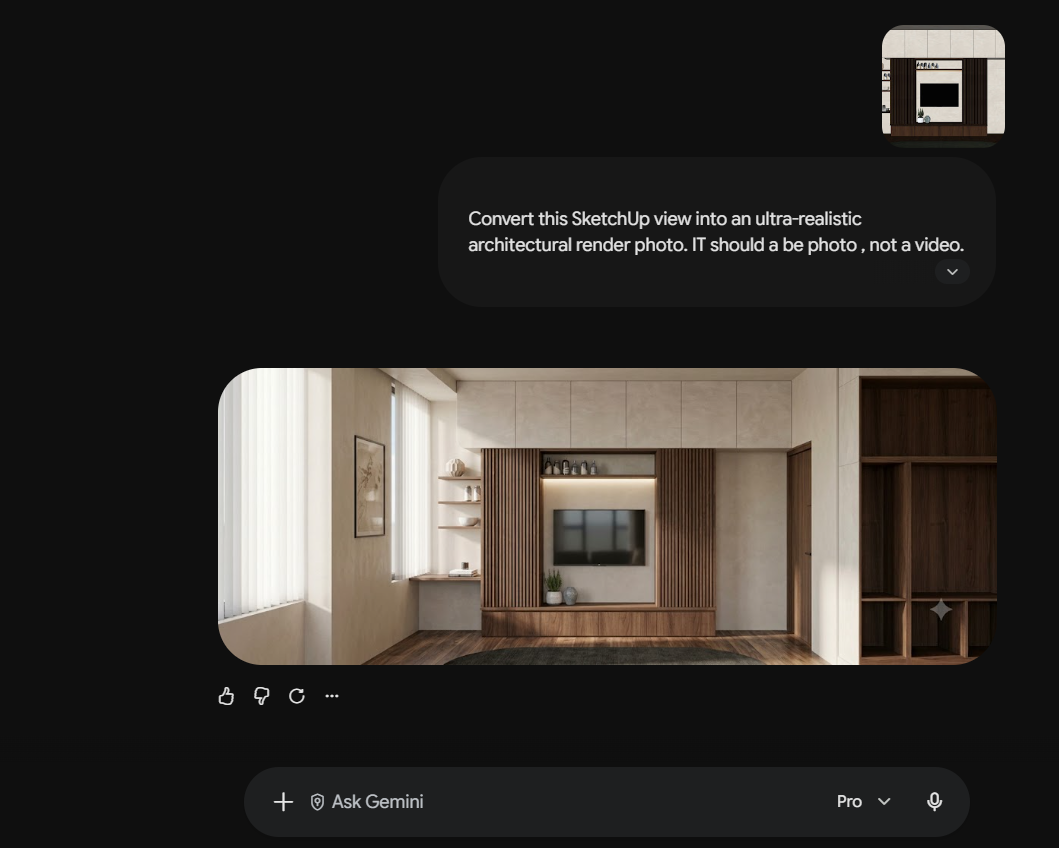
AI can also be useful when the requirement is not a polished render, but simply a quick visual answer. Farzeen recalls a project where there was confusion about colour options on site. Rather than spending significant time producing multiple conventional renders, AI provided a quick way to visualise the alternatives and move the conversation forward. Material combinations can be explored in much the same way.

But the speed is not unconditional.
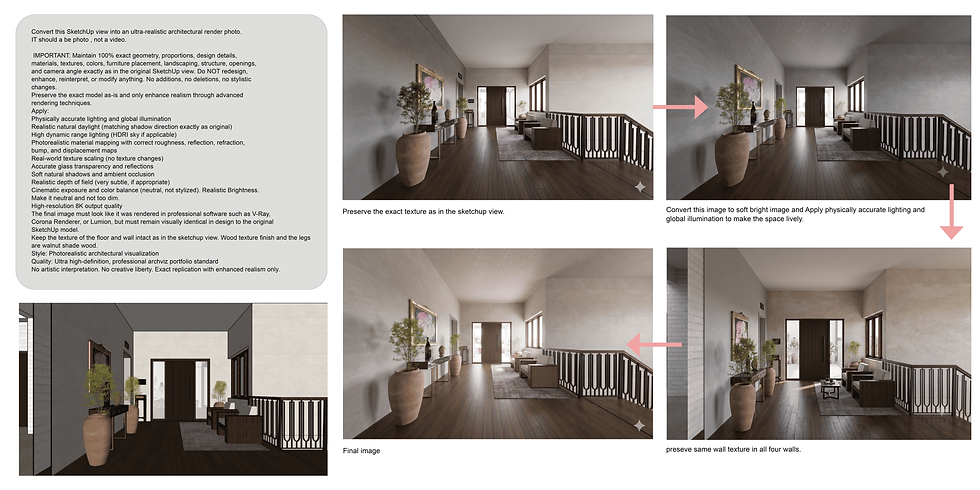
Several architects noted that the precision of AI-generated images depend heavily on the precision of the prompt. With conventional rendering software, the designer has control over the model and can predict what will appear. Generative AI, by contrast, can introduce its own interpretation of the brief. A prompt that is too vague can produce an attractive image that is nevertheless completely wrong.
As Anna put it, AI removes some of the time spent dealing with heavy files, but that does not necessarily mean the entire process becomes faster. Sometimes, the time saved in rendering can reappear in prompting, correcting and regenerating the image.
There are also considerations around confidentiality. While Midjourney's Discord-based workflow can make generated files visible to others, Gemini is preferred for confidential client work where greater privacy is required.
AI has therefore changed visualisation less by eliminating rendering than by making visual experimentation faster and more accessible. The question is whether the time saved in producing an image outweighs the time spent getting the AI to produce the right image.
Research and Problem-Solving
One of the most common uses of AI at Elemental is also one of the least visible to outsiders: asking questions.
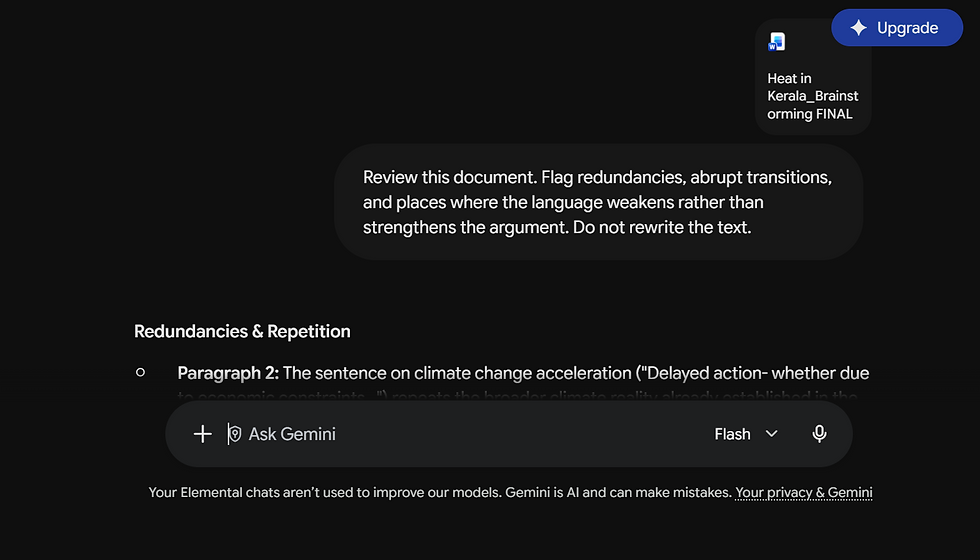
My own relationship with AI is somewhat ambivalent. I use it most when my head is crowded with ideas, some of which exist only as fragments. I tend to pour these thoughts into a brainstorming document, and sometimes use AI afterwards to help organise them: to identify where I am repeating myself, whether the sections follow a logical sequence, or whether an argument that made perfect sense in my head actually makes sense on paper.
For Shanel, the application is more exploratory. AI can help unpack unfamiliar regulations, particularly when working in locations with building rules and contextual conditions that are different from those we are accustomed to. It can also help investigate unfamiliar materials, identify plants and materials from images, and provide an initial understanding of subjects outside an architect's immediate area of expertise.
Kajol found a similar application while working on a project where the capacity of a pond needed to be determined. For calculations involving unfamiliar or complex mathematics, AI can provide a useful starting point and help work through the problem.
But this second opinion is only useful if it remains a second opinion.
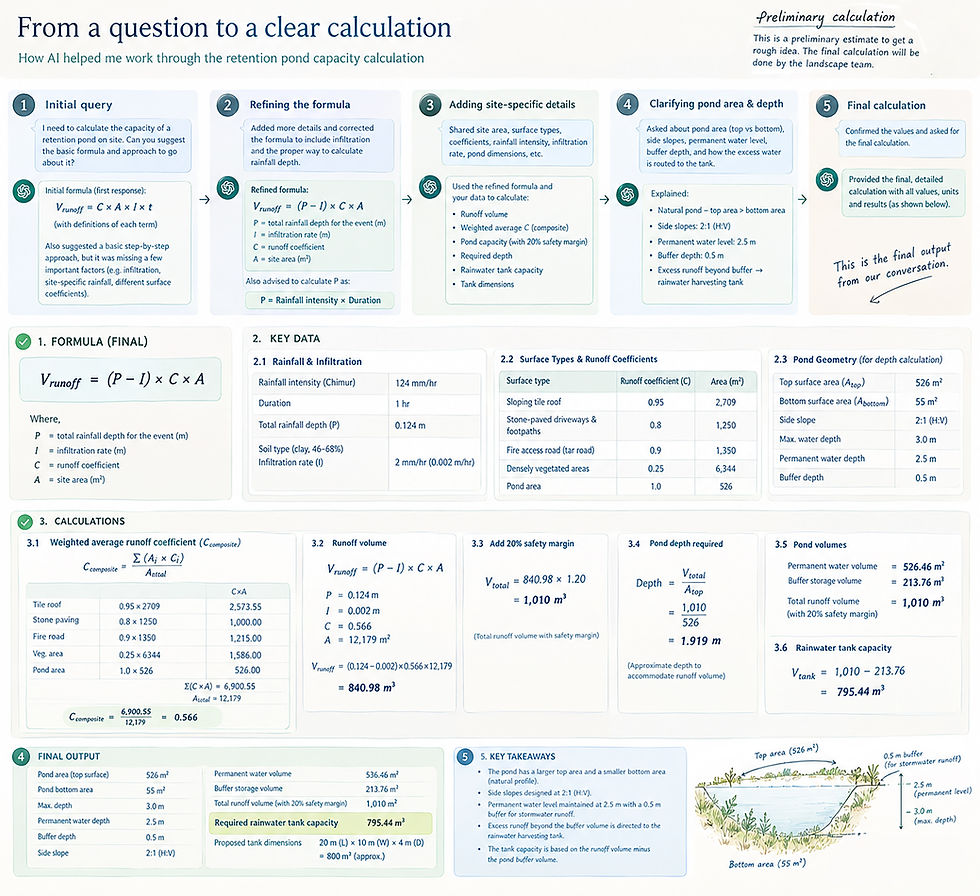
AI can be remarkably convincing when it is wrong. For architects, particularly when dealing with regulations, calculations, material properties or environmental information, the output still needs to be checked against reliable sources and professional knowledge. AI can accelerate research; it cannot remove the responsibility to research.
Drafting Emails and Documentation
Perhaps the most mundane use of AI is also one of the most widespread.
Emails, meeting minutes, grammar checks, translations and formatting are rarely the parts of architectural work that people entered the profession to do. Yet they occupy a significant amount of time, and the pressure to communicate clearly is particularly high when dealing with clients, consultants and collaborators, Nimmy shares.
Several architects use ChatGPT, Grammarly or similar tools to refine emails and written communication. For some, it is simply a matter of checking grammar or finding a more professional way to phrase something. For others, AI helps turn a long stream of thoughts into something structured and readable.
Meeting documentation is another increasingly useful application. AI tools can now listen to meetings, organise discussions into minutes, identify actions and produce follow-up summaries. Gemini, in particular, has been useful where meetings involve multiple languages, including translating parts of conversations conducted in regional languages.
These are not particularly futuristic applications. They are simply ways of removing some of the repetitive work that sits around architectural practice. Shanel perhaps describes this best. He refers to ChatGPT as ‘Corporate Shanel’- an alter ego that helps him communicate more effectively.

Technical Assistance
AI is increasingly being used as a technical assistant, particularly for calculations, conversions, and software-related questions.
Architects reported using it for BOQ calculations, area statements, spreadsheets, timelines, unit conversions and more complex mathematical problems. It can also help with software commands, drawing details and troubleshooting when someone gets stuck.
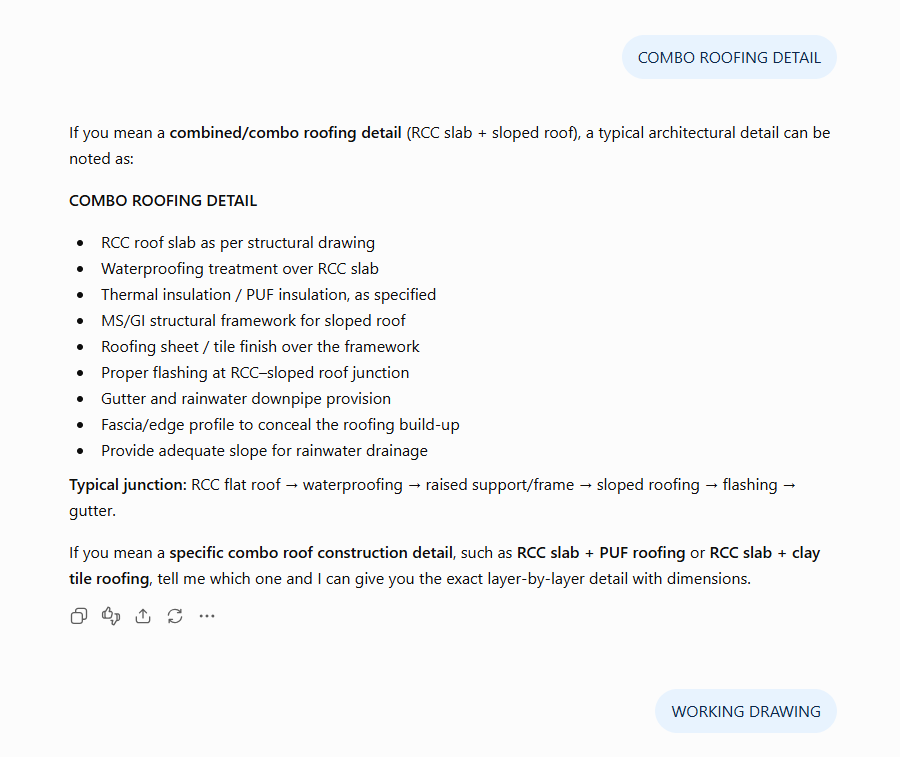
For Shaifana, ChatGPT can help give a pitch the right voice. For Ans, it can help visualise design iterations, or investigate construction details that may not be immediately available. For Riya, our Executive Assistant, it can act as a readily available reference when she has questions about architecture or architectural software.
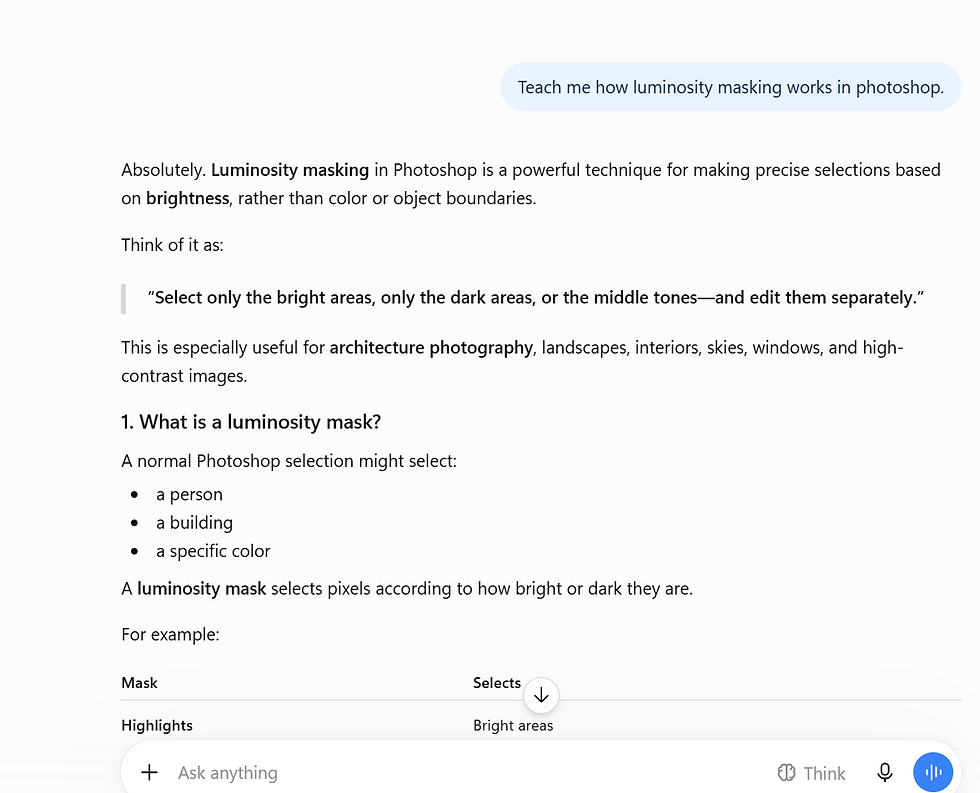
The value here is largely one of accessibility. Instead of interrupting another colleague to ask how to perform a particular task, an architect can ask the question immediately and continue working.
But the same rule applies: AI can accelerate the process of arriving at an answer; it does not automatically make the answer reliable. This distinction becomes particularly important when the output concerns something that will eventually be built.
Exploring Possibilities
Perhaps the most architecturally interesting use of AI is not producing the final image, but generating the possibilities that come before it.
Adithi uses AI to explore how references might be translated into a project, generate facade options and visualise possible approaches. The resulting images are not necessarily suitable for showing to a client, and they may not be technically achievable as presented. But they can provide something valuable: a starting point for a conversation.
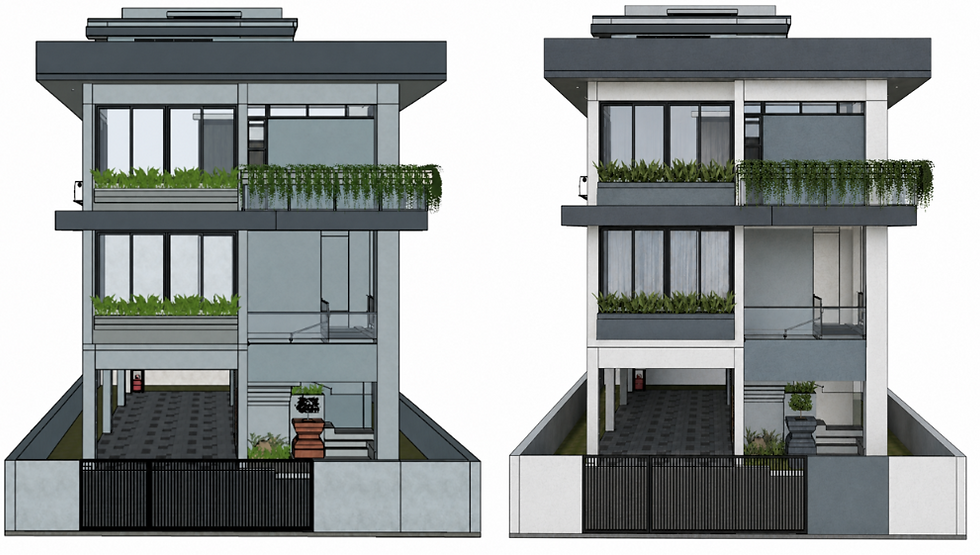
The same applies to colour combinations, material palettes, moods and design directions. AI can generate possibilities quickly enough that an architect can test an idea before investing significant time in developing it.
This is where AI feels most like a design partner rather than a design tool. But there is an important distinction between exploration and resolution.
AI is useful when the question is, “What could this look like?” It becomes considerably less useful when the question is, “How exactly should this be built?”
The first invites possibilities. The second requires judgement.
3D Modelling Aid
There is also a more specific problem that architects have been dealing with for years: finding the right 3D model.
SketchUp's 3D Warehouse is extensive, but it does not contain everything. When a particular piece of furniture, artwork or architectural element cannot be found, creating the model from scratch can be disproportionately time-consuming.
AI tools like Meshy AI can now generate 3D models from reference images, providing a faster way to populate a model with specific objects.
For Fasna, this has become one of the more practical applications of AI in the workplace: taking an image of an object and using it to generate a usable 3D representation.
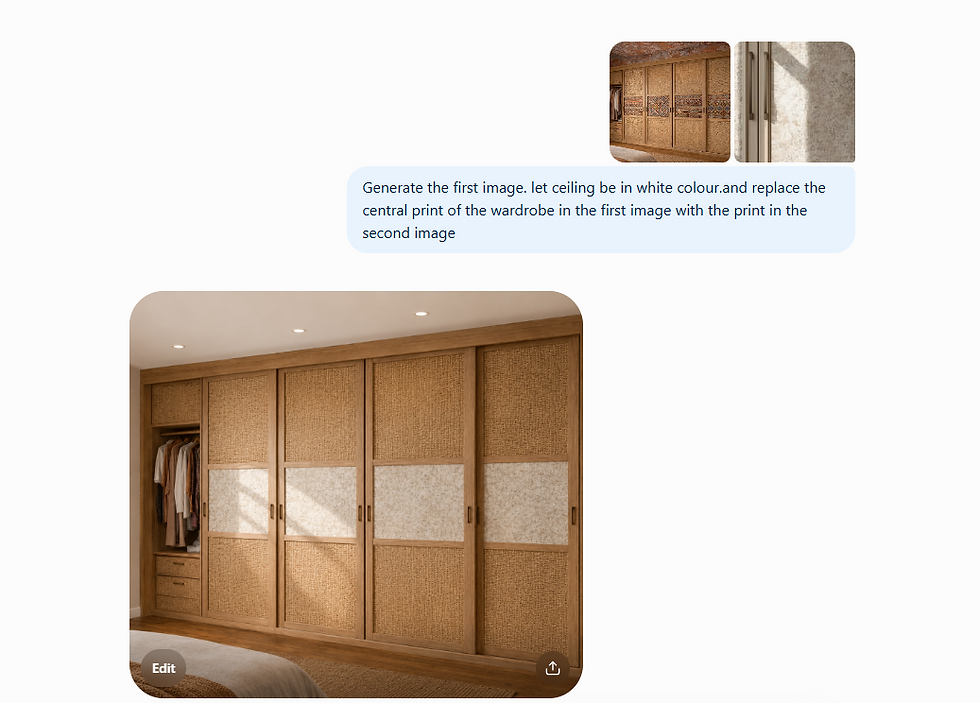
It is a small intervention, but it illustrates something important about AI's role in practice. Not every useful application needs to transform the design process. Sometimes, its value lies simply in making a frustrating twenty-minute task into a two-minute one.
Where We Do Not Use AI
It is important to us that we be transparent about where we use AI. It is equally important to be transparent about where we do not.
AI can help us research, draft, visualise and organise. But sustainable design requires an understanding of context, climate, lifecycle, maintenance, embodied impacts, operational impacts, cost, construction practices, building physics, and ultimately, how a building actually performs. That requires the knowledge and judgement of trained professionals.
At Elemental, we are careful about where AI enters the design process. No part of the design from concept to finalisation is handed over to AI. Architecture is as much about practicality, as it is about creativity and joy. We are careful not to take either of these out of the process of designing spaces for you.
AI does not understand how you like to spend your evenings, or how your friends occupy space in your living room on a Friday night. It does not understand that your aging parents find delight in having an accessible tulsithara or that your young child enjoys chasing butterflies in courtyards. Every bit of what makes your home a home, is handled by our brilliant architects.
Those details are not inefficiencies to be optimised away. They are the reason we design.
AI can help our architects do their work faster. It can take care of some of the mundane tasks, provide a second opinion, generate possibilities and remove friction from the workflow.
But the responsibility for deciding what matters remains with us.
This is our boundary.
Augmented, Not Automated
So, does AI actually reduce the burden of architectural practice, or does it simply move the labour elsewhere?
The answer, at least within our studio, is both.
AI saves time in some places and creates additional work in others. It can accelerate a render, organise a meeting, unpack a regulation or test an idea. But it can also demand time on better prompts, careful checking and professional judgement.
The question, then, is no longer whether architects should use AI. They already do. The more important question is where it adds value, where it creates more work, and where human judgement must remain in control.
For a practice concerned with the long-term consequences of its decisions, efficiency cannot simply mean doing things faster.
It means using technology to make more room for the work that only people can do.


Comments